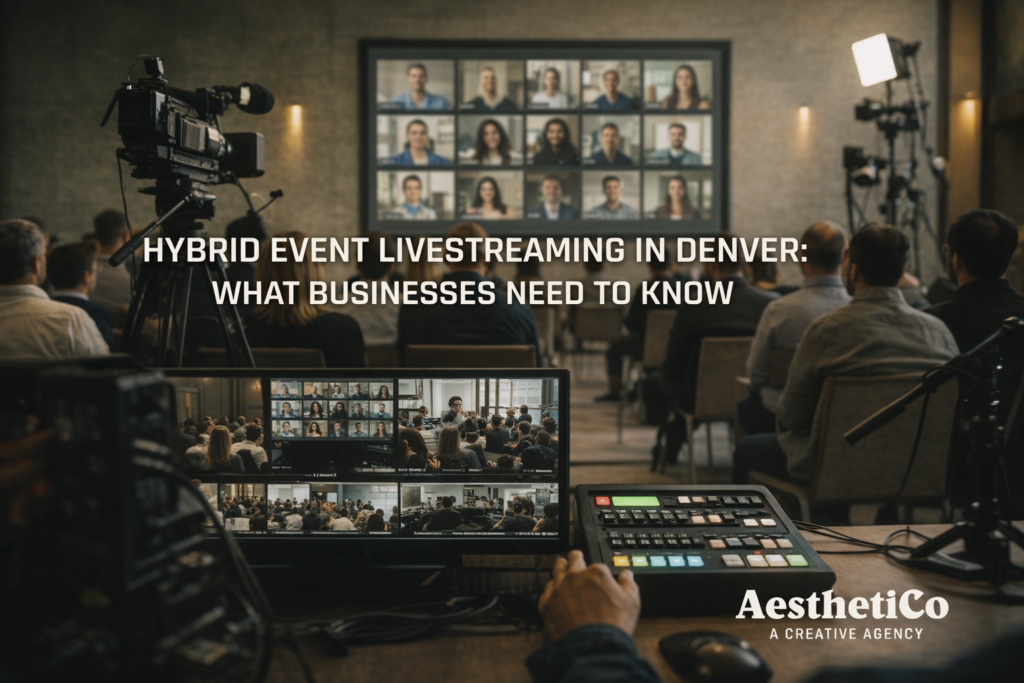
Hybrid Event Livestreaming in Denver: 7 Essentials for a Flawless Hybrid Event
Hybrid events fail for predictable reasons: weak audio, shaky internet, and a “good enough” stream plan.
A professional hybrid event livestreaming Denver setup fixes that with clean audio capture, multi-camera coverage, and a hardwired streaming workflow.
In this guide, you’ll learn how hybrid livestreaming works, what a professional setup includes, and the most common issues that derail events—so your hybrid event livestreaming Denver plan holds up under pressure.
What Is Hybrid Event Livestreaming?
Hybrid event livestreaming is an event intentionally designed for two audiences at once:
- the people in the room, and
- the people watching online in real time.
Unlike a basic Zoom call or a single camera in the back of the room, a true hybrid event is produced so remote viewers get a clear, polished experience that mirrors what’s happening live.
That usually means multiple camera angles, professional audio capture, live video switching, and a streaming platform that can handle your audience reliably.
Why Hybrid Event Livestreaming Works Well in Denver
Denver organizations often serve audiences beyond the local metro area—regional teams, national donors, remote stakeholders, and speakers who can’t always travel.
Hybrid event livestreaming in Denver helps solve common barriers like:
- travel limitations and scheduling conflicts
- weather disruptions
- accessibility needs for remote attendees
- limited seating or venue capacity
It’s also become a long-term strategy, not a temporary workaround. For example, Cvent notes in its event statistics that many event professionals report hybrid formats are here to stay. PCMA (an organization for Business Event Strategists) has noted that digital events are here to stay, and hybrid formats help organizations extend reach without sacrificing experience.
Types of Events That Benefit From Hybrid Livestreaming
Corporate Meetings and Conferences
Great for company-wide updates, leadership sessions, and multi-location stakeholders.
Nonprofit Fundraisers and Community Events
Hybrid increases participation from supporters who can’t attend in person, and creates recordings you can use for future outreach.
Educational Panels and Workshops
Remote access expands the audience, and the recording becomes a reusable training resource.
Product Launches and Brand Events
You get real-time energy and high-quality content you can repurpose for marketing.
Hybrid Event Livestreaming Denver: What a Professional Setup Includes
Professional hybrid event livestreaming in Denver goes far beyond placing a camera on a tripod.
A solid baseline setup often includes:
- Multi-camera coverage (at least 2 angles for a polished feel)
- Professional audio capture (lav/handheld mics + clean feed to the stream)
- Live switching (so the stream cuts between cameras smoothly)
- Branded graphics (lower-thirds, speaker names, intro slides)
- A stable streaming platform (public or private, depending on the event)
- Redundancy (internet + power planning so one issue doesn’t end the stream)
The bigger point: hybrid events succeed when someone is responsible for the online audience experience—not just the room.
The 7 Essentials That Prevent Hybrid Event Disasters
Here are the essentials we focus on because they solve the problems that cause most livestream failures:
1) Plan the event for two audiences
Remote attendees need intentional moments: clear camera angles, readable slides, and audio that doesn’t fade in and out.
2) Prioritize audio over everything
If viewers can’t hear clearly, they leave. Period. Audio is the #1 quality lever for remote experience.
3) Use a dedicated internet plan (not venue Wi-Fi)
One of the most common mistakes is relying on shared Wi-Fi. A dedicated hardline or bonded solution is a major reliability upgrade.
4) Build a run-of-show that includes the stream
Add cues like: “Go live,” “roll intro,” “switch to slides,” “lower third,” and “end screen.” This keeps production calm instead of reactive.
5) Capture slides the right way
Don’t film the projection screen. Take a direct feed of slides so remote viewers can actually read them.
6) Create a simple remote engagement plan
Even lightweight engagement helps: moderated Q&A, chat prompts, or a short “how to participate” slide at the beginning.
7) Have a real contingency plan
Power, internet, audio backups—simple redundancy prevents a single failure from ending the event.
Common Mistakes to Avoid With Hybrid Events
Hybrid events usually fail for predictable reasons:
- Treating the livestream as an afterthought
Remote attendees feel ignored and drop off fast. - Relying on venue Wi-Fi
Even if it “seems fine,” it’s shared and unpredictable. - Room audio that doesn’t translate to the stream
What sounds okay in-person can be muddy or unusable online. - No one monitoring the stream
If the stream freezes or audio drops, you need someone who can catch it instantly.
When you plan for both audiences in pre-production, the event runs smoother and the recording is more valuable afterward.
Is Hybrid Event Livestreaming Right for Your Denver Event?
Hybrid event livestreaming is a strong fit when:
- your event has speakers, presentations, or stories worth sharing beyond the room
- accessibility and reach matter (stakeholders, donors, remote teams)
- you want to reuse the content for marketing, recruiting, or training
If your event has real moments that matter, hybrid makes the event more flexible and increases the return on the effort you already put into producing it.
FAQ: Hybrid Event Livestreaming in Denver
How much does hybrid event livestreaming Denver typically cost?
Pricing depends on camera count, audio needs, streaming platform, graphics, and whether you want a cleaned-up recording after. The fastest way to get an accurate number is a quick venue + run-of-show check.
What internet do we actually need for a reliable hybrid stream?
Ideally: a hardwired ethernet line with stable upload speed, plus a backup plan (LTE/5G or a second line). Venue Wi-Fi is usually the #1 failure point.
How many cameras do we need?
Most hybrid events look “professional” with 2–3 cameras: a wide safety shot, a tight speaker shot, and an optional audience/b-roll angle. More cameras help when you have panels, Q&A, or demonstrations.
Do remote attendees hear the room clearly?
Only if you capture audio intentionally. A good hybrid setup pulls audio from the sound board when available and backs it up with dedicated mics so remote viewers get clean speech (not echo).
What platform should we stream to?
It depends on your goal:
- YouTube Live for easy access and reach
- Vimeo / private pages for controlled access
- Zoom / Teams if you need real-time participation
(You can also stream + record for repurposing.)
Should we record it too?
Yes. Recording gives you a reusable asset for follow-up emails, sponsors, website content, training, and future promotion — even if the live audience is the main focus.
If you’re planning hybrid event livestreaming Denver teams can trust, these are the questions that prevent last-minute surprises.
Final Thoughts on Hybrid Event Livestreaming in Denver
Hybrid events fail for predictable reasons: weak audio, shaky internet, and a “good enough” stream plan. But when you treat production and distribution as equal priorities, the online audience gets a real experience—not a compromised feed.
When planned and executed properly, hybrid event livestreaming Denver organizations run lets you connect with local and remote audiences at once—and walk away with content you can reuse for marketing, training, and future events.
Next step: Want to sanity-check your venue, internet options, and the right setup for your event? Link this article to your livestreaming services page and invite people to reach out for a quick tech check.